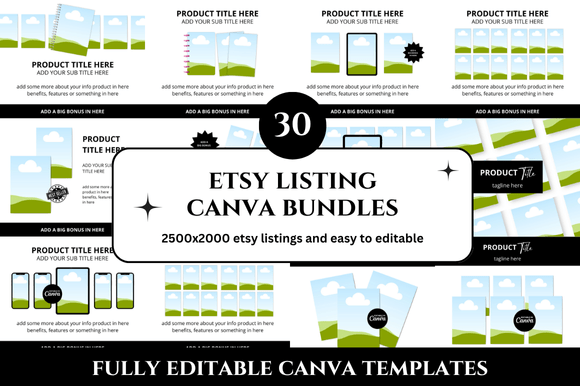
30 Etsy Listings Mockup Bundles: A Practical Guide to Choosing and Using Them Effectively
When you’re creating product listings on Etsy, presentation can make or break a sale. A well-crafted mockup bundle—especially one that includes 30 different scenes, angles, or variations—can save you hours of design work and give your shop a professional, cohesive look. But not every bundle delivers the value you expect. Many sellers pick up a 30-pack thinking it’s a shortcut, only to find blurry images, incompatible file types, or licenses that don’t cover their use. Understanding what works and what doesn’t helps you invest your time and money wisely.
This guide walks through the most common missteps people make when selecting and using 30 Etsy listings mockup bundles. You’ll learn what to look for, what to avoid, and how to get the most out of a set without wasting effort or missing details.
The Appeal and the Pitfall of More Is Better
Thirty mockups sounds like a generous deal. You get variety, which is useful if you sell in multiple categories or want to test different aesthetics. But many bundles are put together by repurposing the same scene with minor tweaks—different props, slight angle changes, or color swaps. If you need genuine diversity (say, flat lays, hanging shots, and in-use lifestyle images) the bundle may fall short.
What often gets overlooked is the actual use case. A bundle heavy on phone-in-hand mockups won’t help if you sell wall art or candles. Before clicking “buy,” scan the preview images and ask yourself: does this match the physical size, orientation, and style of my products? A 30-pack of digital device screens is useless for a shop that sells home goods. Check the product photos in the listing carefully. Look for the smallest variation—often the last few images show the less flattering options.
File Formats and Editing Requirements
One of the most frustrating discoveries after downloading a bundle is that every mockup is a PSD file expecting you to use Adobe Photoshop with layer adjustments. If you work in a browser-based editor like Canva or Affinity Photo, or if you prefer drag-and-drop tools, a Photoshop-only bundle can stall your workflow.
Better bundles offer multiple formats: layered PSDs with smart objects, plus PNG or JPG versions for quick swapping. Some even come with ready-to-use templates for Canva or Placeit. Before purchasing, read the item description’s technical section. If it only mentions “smart objects” or “editable in Photoshop only,” you may need to adjust your toolset or look for a more versatile set. Similarly, check if the resolution is high enough for print (300 DPI) if you ever sell physical products like posters or stickers. For digital products, 150–200 DPI is usually fine, but blurry screenshots on the mockup page are a red flag.
The Licensing Trap
Not all 30 Etsy listings mockup bundles grant commercial rights in the same way. Some allow unlimited usage for products you sell, some cap the number of end products, and others restrict use to personal projects or portfolios. The differences often hide in the fine print.
If you plan to use the mockup to showcase items you sell on Etsy, you need a commercial license that covers end products for sale. Skipping this check can force you to remove listings later if the creator enforces their terms. Look for bundles that explicitly say “commercial use allowed” and check if they require attribution. Many sellers forget that some bundles require linking back to the designer, which can clutter your listing descriptions or violate Etsy’s policy on external links.
A practical step: before downloading, view the shop’s licensing page or message the seller if the license isn’t clear. One example—a seller bought a 30-pack of stationery mockups that had a “no redistribution” clause but allowed unlimited commercial use. That was fine until they started cropping out the watermark, which violated the design’s terms. Understanding the full scope prevents last-minute scrambles.
Consistency Across 30 Listings
Another common oversight is assuming that a bundle will create a uniform look. Even if the mockups share a similar style, subtle differences in lighting, shadows, or color temperature can make your shop appear disjointed. Shoppers notice when one listing shows a bright, warm image and the next uses a cool, subdued tone.
To avoid this, evaluate the bundle’s unity. Look for shots that are part of a single set—with consistent backgrounds, lighting, and staging. Some bundles mix different photographers or design styles, which defeats the purpose of buying a 30-pack. If you see dramatic variations in the preview, the bundle may not give you the coherent brand look you need. A better approach: choose a smaller set (10 to 15 mockups) that has deliberate consistency, then supplement with one or two additional bundles that share a similar mood. You can also color-correct individual mockups to match your brand palette, but that adds extra work.
Real-Life Examples of Better Choices
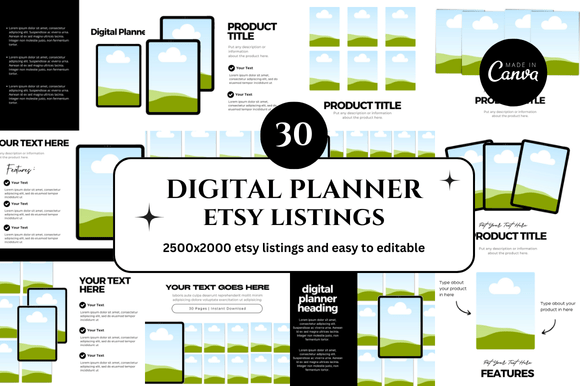
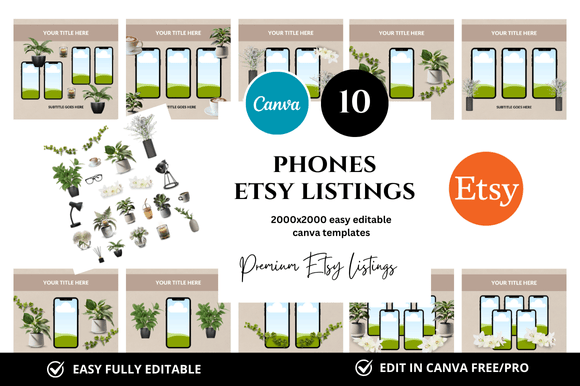
Scenario 1: A planner seller bought a 30-pack of digital device mockups because the price was low. They quickly realized the mockups only fit tablet and phone screens, not the 8.5×11 inch planner pages they sold. They ended up editing the PSDs manually to resize the canvas—which distorted the mockup elements. A better choice would have been a bundle that includes both digital device shots and flat paper mockups. Many sellers now offer mixed bundles that cover both physical and digital products within the same set.
Scenario 2: A jewelry shop owner used a life‑style mockup bundle with hands and props. The photos looked amazing until they noticed that the shadows didn’t match the product’s actual shape. The mockup had been designed for a different kind of pendant, so the lighting and reflection were off. The solution: choose mockups that show generic, neutral surfaces (like a simple table or a white background) and add your own product images later. This reduces the risk of mismatched lighting.
What to Check Before You Buy
Before clicking “add to cart,” run through this quick checklist based on common complaints from experienced sellers:
- Read the full description—look for numbers: “30 PSD files, 300 DPI, 6000×4000 px.” If only vague language like “high quality” appears, proceed with caution.
- Scroll through all preview images. Do you see all 30 mockups? Often only a few are displayed, and the rest may be less appealing. If the listing says “includes 30 variations” but shows only 5, ask the shop for the full set or look for clearer examples.
- Check the software requirements. If you use an iPad editor, Photoshop for iPad, or GIMP, confirm the files are compatible. Some smart objects don’t transfer well to non‑Adobe apps.
- Verify the license from the shop’s policies or a separate license file. If it says “personal use only,” move on unless you only want the mockups for portfolio work.
- Read reviews that mention file usability. Look for words like “easy to edit,” “layers work well,” “consistent lighting.” A few negative reviews about blurry images or missing files are red flags.
Overlooking File Organization and Storage
Downloading 30 mockups is one thing; keeping them usable is another. Many sellers toss all files into one folder, then struggle to find the perfect angle later. A simple habit: rename files to reflect the content, like “living-room-wall-art-light.jpg” or “marble-flat-lay-cards.psd.” Some bundles come with numbered or generic names, but you can organize them by category: social media, lifestyle, flat lay, packaging, etc. This small step saves time when you need a specific look for a new listing.
Another forgotten detail: backups. Mockup files can be large (100 MB or more each), and relying on a single download link might expire. Download and store them on a reliable cloud service or external drive. Losing a bundle after spending hours editing it is a genuine frustration that’s easy to avoid.
The Overconfidence Trap: Assuming All Bundles Are Plug‑and‑Play
Even if a bundle is well-designed, it’s rare that a mockup works perfectly the first time. Professional product photographers often set up lighting for a specific object height, size, or reflectivity. Your product may look different inside the same template—too small, too large, or with an awkward shadow. The solution is to test one or two mockups thoroughly before creating all 30 listings. If the first few don’t look natural, you may need to swap the bundle or adjust your product’s image composition.
Think of mockup bundles as a starting point, not a final solution. That 30‑pack of frames doesn’t automatically make your art look gallery‑ready. You often need to adjust perspective, add drop shadows, or tweak the exposure. Treating them as raw materials rather than finished assets leads to better results and less frustration.
Conclusion: Make the Bundle Work for Your Specific Needs
30 Etsy listings mockup bundles can transform your shop’s appearance, but only if you pick the right set and use it correctly. Avoid the common mistakes of ignoring file formats, overlooking licensing limits, assuming perfect consistency, and buying without verifying the actual contents. Take time to check previews, read descriptions, and test a few mockups before committing to a full rollout. By approaching bundles with a practical, critical eye, you save time, avoid wasted purchases, and build a product catalog that looks both professional and authentic.